
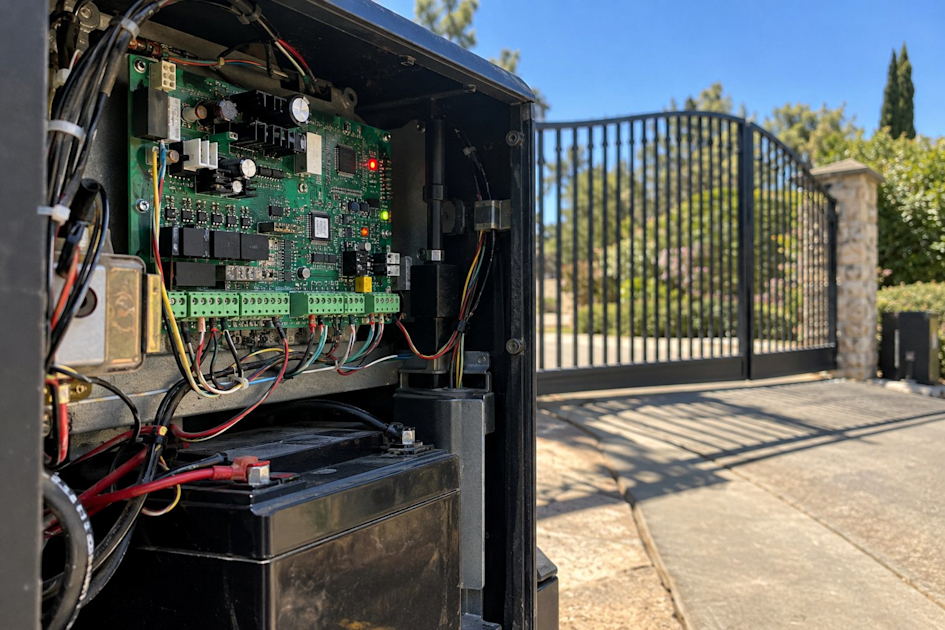


The short version: Most gate problems come down to one of five systems: power, the safety sensors, the control board, the drive, or the access input. If the gate opens but won't close, it's almost always a dirty or misaligned photo eye. You can safely check power, clean the photo eyes, clear the track, and swap a remote battery; leave board-level and drive work to a pro, and never bypass a safety device. DoorKing, HySecurity, and Viking each report faults differently, which is where factory training pays off.
Your gate stopped working. Maybe it opens but won't close, maybe it's dead silent, maybe it lurches a foot and gives up. Before you call anyone, there's a handful of things worth checking, and knowing what they are can save you a service call.
We work on automatic gates every day, and most "my gate broke" calls trace back to one of five things. Walk through them in order and you'll usually land on the culprit fast.
Start By Figuring Out Which System Failed
An automatic gate is five systems stacked together, and a failure in any one looks the same from the driveway. The trick is telling them apart.
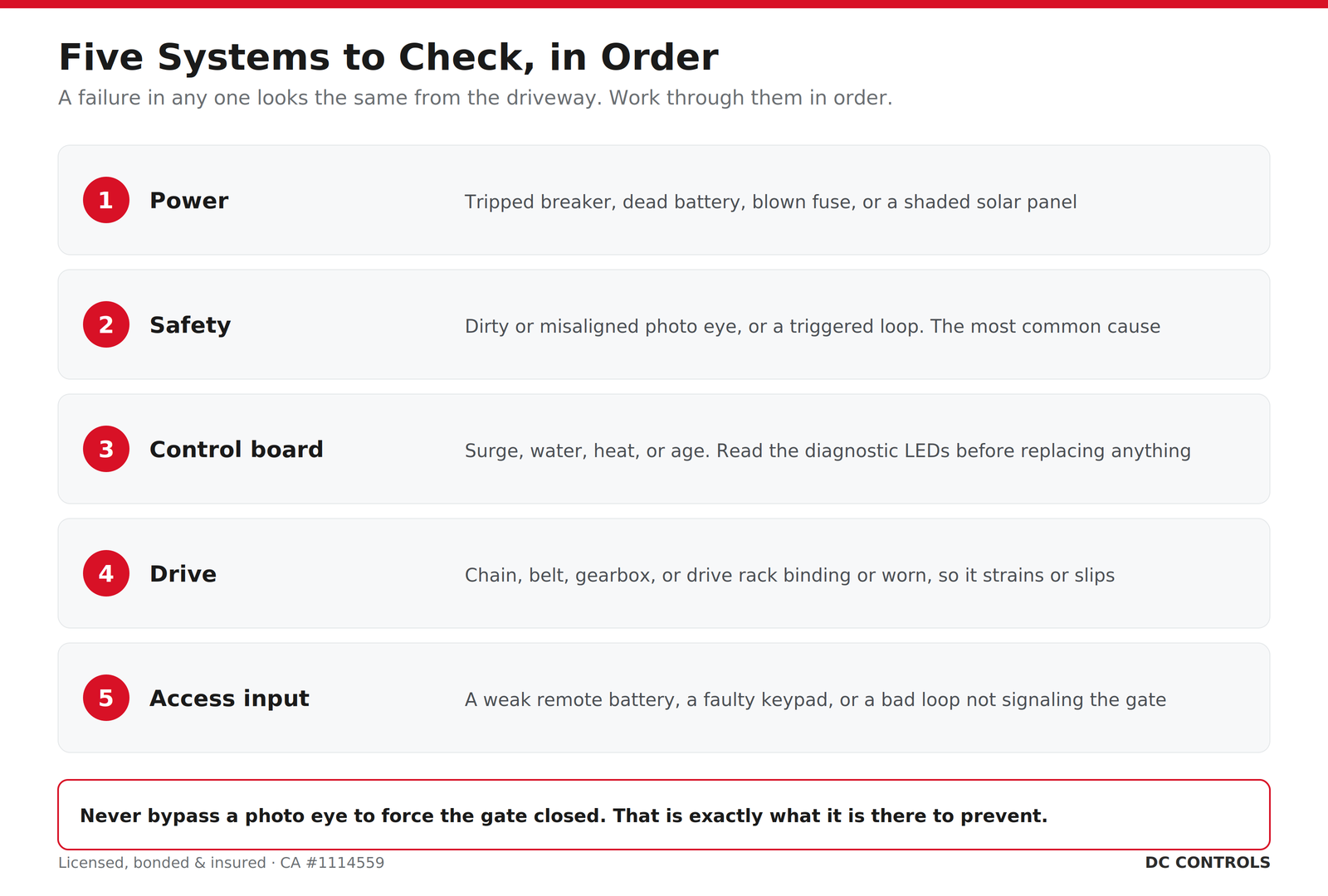
Power is first. No power, no gate. Check the breaker feeding the operator, since a tripped breaker is boringly common after a storm or surge. If your operator runs on a battery, including solar setups, a dead or dying battery will make the gate sluggish, cut it off mid-cycle, or kill it entirely. On solar gates, a panel that's shaded, dirty, or aimed wrong slowly starves the battery until the gate quits.
The safety system is second, and this is the big one. If your gate opens fine but refuses to close, a safety device is almost always why. Gates use photo eyes, an infrared beam across the opening, and sometimes gate edges, to stop the gate from closing on a car, person, or pet. If a photo eye is misaligned, caked with dust or spider webs, or blocked by a weed, the operator thinks something is in the way and holds the gate open. A triggered safety loop does the same thing. This is the single most common reason a gate won't close, and the fix is often as simple as wiping a lens clean.
The control board is third, the brain. Boards fail from power surges, water, heat, or age. Most modern boards have diagnostic LEDs or an error display that tells you what they're unhappy about. The drive is fourth, the chain, belt, gearbox, or rack-and-pinion that physically moves the gate; grinding, slipping, or binding points here. The access input is fifth. If the gate works from the button on the operator but not from your remote or keypad, the operator is fine, and nine times out of ten it's a dead remote battery.
What You Can Safely Check Yourself
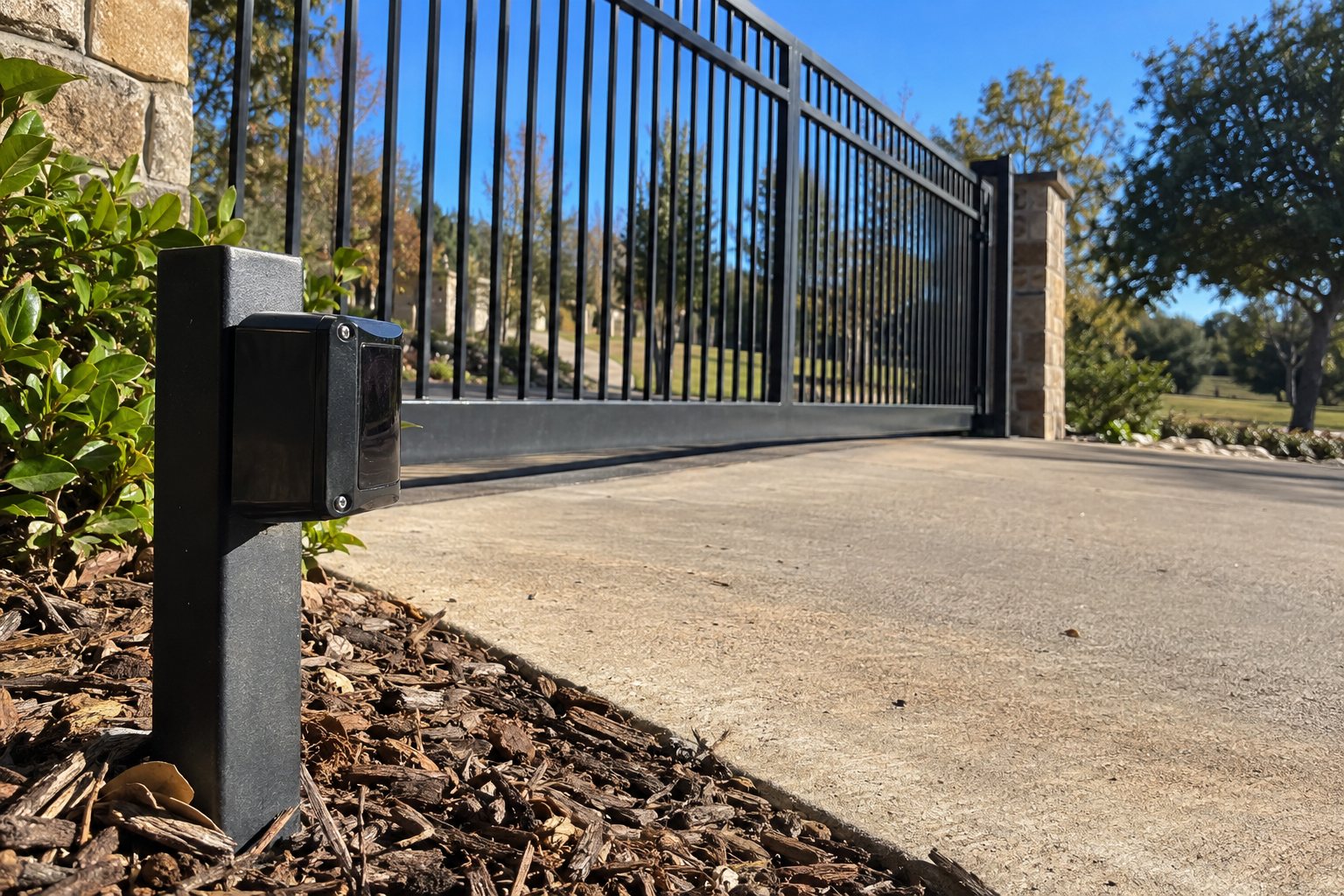
Some of this is genuinely homeowner territory, no tools required. Reset the breaker. If there's a battery backup, note whether the gate works on utility power but dies on battery, which points at the battery. Clean your photo eyes with a soft cloth, both the lens and its partner across the gap, and make sure nothing's grown up in front of them. Clear the gate's path of rocks, branches, and built-up gravel, and swap the battery in your remote before you assume the remote is broken. Past that you're into live electricity, moving steel, and safety systems, and that's a pro's job.
When It's Time to Call a Pro
Board-level diagnosis, drive and gearbox work, rewiring, and anything involving the safety circuit belong with a technician. These operators move a lot of weight with real force, and a gate behaving unpredictably can hurt someone. One rule matters more than all the others: do not disable or bypass your photo eyes to make the gate close. We see it, someone jumps a photo eye to stop the gate from reversing, and now they've got a heavy powered gate that will close on whatever is in its way. These operators are UL 325-listed and built around monitored entrapment protection for a reason. If a safety device is acting up, fix or realign it, never switch it off.
DoorKing (DKS) Operators
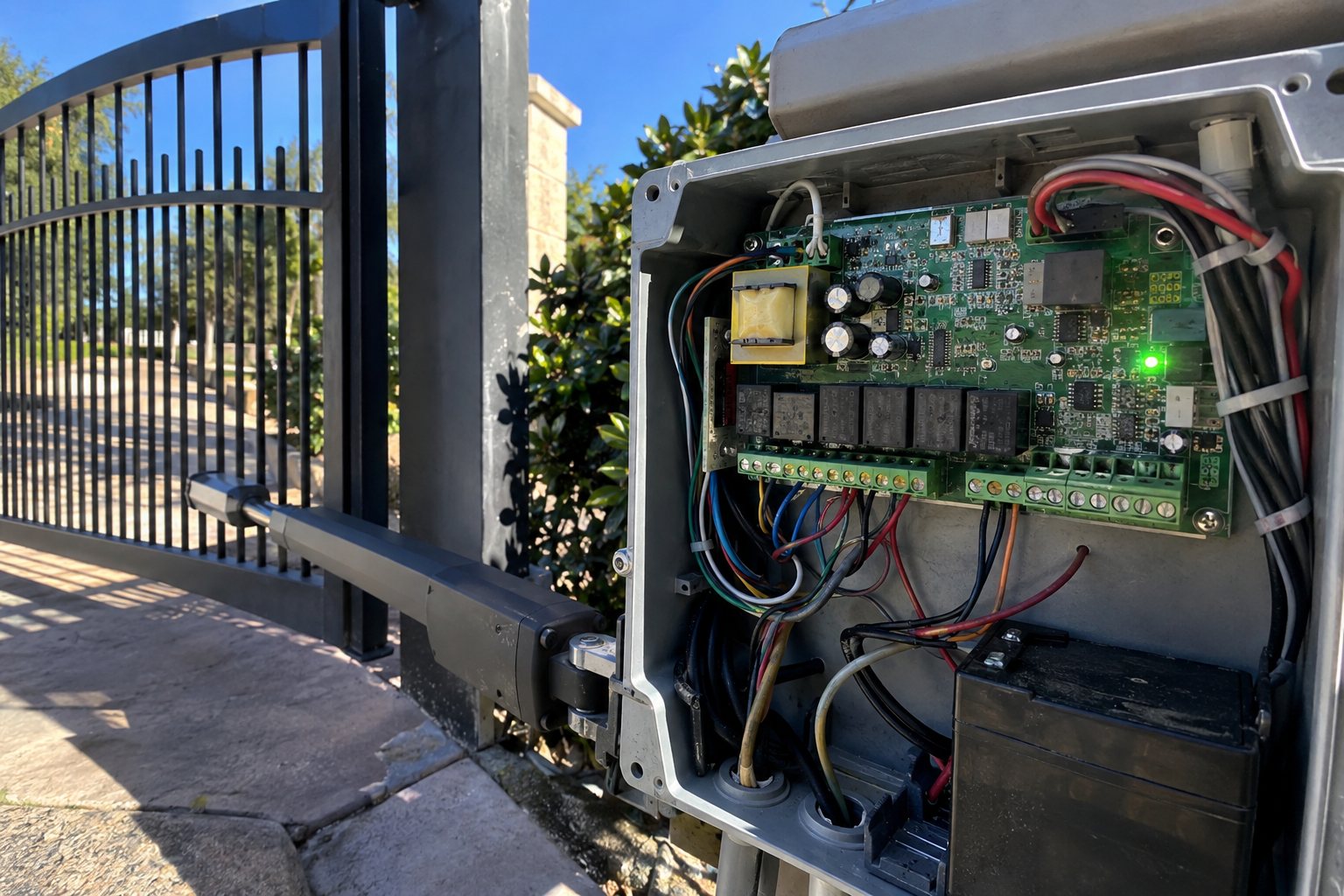
DoorKing boards are known for being diagnostic-friendly. Many DKS operators show a status or error indication through LEDs or a display, and the manual for your model decodes what each one means. Classic DKS issues include limit settings that drift so the gate stops short or over-travels, loop detector faults that make the gate act like something's always in the driveway, and battery or charger problems on their battery-backed units. A lot of DKS complaints clear with a proper limit reset and a clean look at what the board is reporting.
HySecurity Operators
HySecurity gear tends toward the heavy-duty, higher-traffic end, and the electronics match. Their Smart DC and Smart Touch controllers are built to report their own faults, often with a code or on-screen message and a running event log, so a HySecurity that's misbehaving is usually telling you why if you know where to look. Common items are battery health on their DC-powered operators, menu and limit configuration, and sensitivity settings tripping the gate into a fault. The diagnostics are good, but reading them correctly is where factory training earns its keep. (If you're specifying a heavy-traffic operator in the first place, this is how we match the operator to the site.)
Viking Operators
Viking operators are workhorses, and most models give you diagnostic LEDs on the control board to point you toward the fault. Typical Viking troubleshooting covers limit and travel adjustments, loop and photo eye inputs reading wrong, and control board or relay issues on older units. The LED pattern is the starting point, and the model's manual tells you what each pattern means.
If you've got a LiftMaster operator, that one has its own quirks, and we cover it in our LiftMaster troubleshooting guide.
Factory Training Is the Difference on These Brands
These boards all speak slightly different languages, and the fix for a DoorKing fault is not the fix for a HySecurity fault. DC Controls is factory-trained on LiftMaster, DoorKing, HySecurity, and Viking, so we read the actual diagnostics these systems put out instead of guessing. With gate electronics, that's the whole game. Staying ahead of it with regular maintenance keeps most of these faults from happening in the first place.
Frequently Asked Questions
Why won't my gate close but it opens fine?
Almost always a safety device. A photo eye that's dirty, misaligned, or blocked, or a triggered loop, makes the operator think something is in the way and hold the gate open. Cleaning or realigning the photo eye fixes it most of the time.
Why is my gate completely dead?
Start with power. Check the breaker feeding the operator, look for a blown fuse, and on battery or solar systems check whether the battery is dead. A tripped breaker or a dead battery is the most common reason a gate is totally unresponsive.
My remote stopped working but the gate opens from the button. What's wrong?
The operator is fine, the problem is the access input. Nine times out of ten it's a dead remote battery, so swap it before assuming the remote or keypad is broken.
Can I fix a gate control board myself?
Board-level diagnosis and repair should be left to a technician. Modern DoorKing, HySecurity, and Viking boards report faults through diagnostic LEDs or error codes, but reading them correctly and working around live power and the safety circuit is a pro's job.
Still Stuck? We'll Sort It Out
If your gate's acting up anywhere in the greater Sacramento region and you've checked the easy stuff, give DC Controls a call. We design, fabricate, install, and service gates in-house, and we'll get yours running right without cutting corners on safety. We're family-owned, second-generation, and have been doing this for over 25 years out of Loomis.


